Zero Axe Violations, Four Real Bugs: What AI Catches That Automated Accessibility Testing Misses
A LinkedIn post I’d been drafting made a claim I wanted to actually prove rather than just assert: traditional accessibility automation fails on context. It can confirm an alt attribute exists; it has no way to know whether the text inside it describes the image. I picked out four specific gaps (semantic alt-text evaluation, DOM-vs-visual reading order, dynamic focus/state tracking and contextual error messages) where a rule-based scanner structurally cannot tell the difference between “correct” and “correctly formatted but wrong.”
To prove it, I built a demo site with four pages, each engineered so that every seeded defect is invisible to axe-core (the industry-standard engine behind most automated accessibility tooling) while still being a real problem for a real user. Then I built two separate Playwright test suites against it: tests/standard, using @axe-core/playwright the way most teams already do, and tests/ai, which hands the same pages to Claude and asks it to judge the thing axe can’t: whether the content is actually true.
The standard suite passes completely - 12 passed, 0 violations, across Chromium, Firefox, and WebKit. The AI suite, run against the real Anthropic API, fails 7 of 9 tests, each failure carrying the model’s own explanation of exactly what’s wrong. That gap between “structurally valid” and “actually accessible” is the whole point of this post.
Gap 1: Semantic Visual Evaluation
The setup is three images with alt text that all satisfy axe’s image-alt rule - non-empty, plausible-sounding, present:
<!-- site/pages/image-gallery.html -->
<img
  src="/assets/images/cat.svg"
  alt="A simple orange cat face icon with pointed ears and whiskers"
/>
<img
  src="/assets/images/car.svg"
  alt="A fluffy golden retriever puppy playing in the grass on a sunny day"
/>
<img
  src="/assets/images/coffee.svg"
  alt="coffee cup drink beverage hot morning cafe espresso latte mug brown liquid steam"
/>
The car image’s alt text describes a dog. The coffee image’s alt text is a keyword-stuffed list, not a sentence. Axe’s rule only checks that alt is present and non-empty - it has no mechanism to compare the string against the pixels.
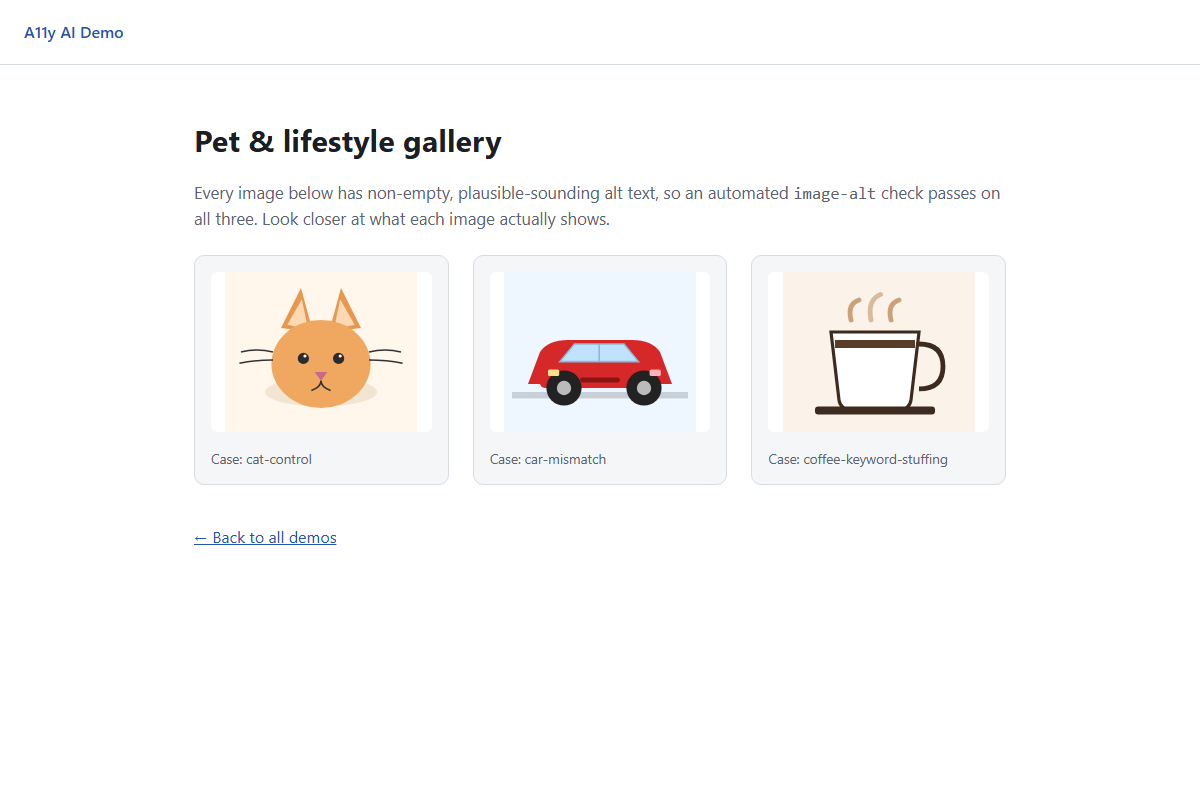 Three images, three alt-text problems - none of them visible from the markup alone.
Running the standard suite against this page:
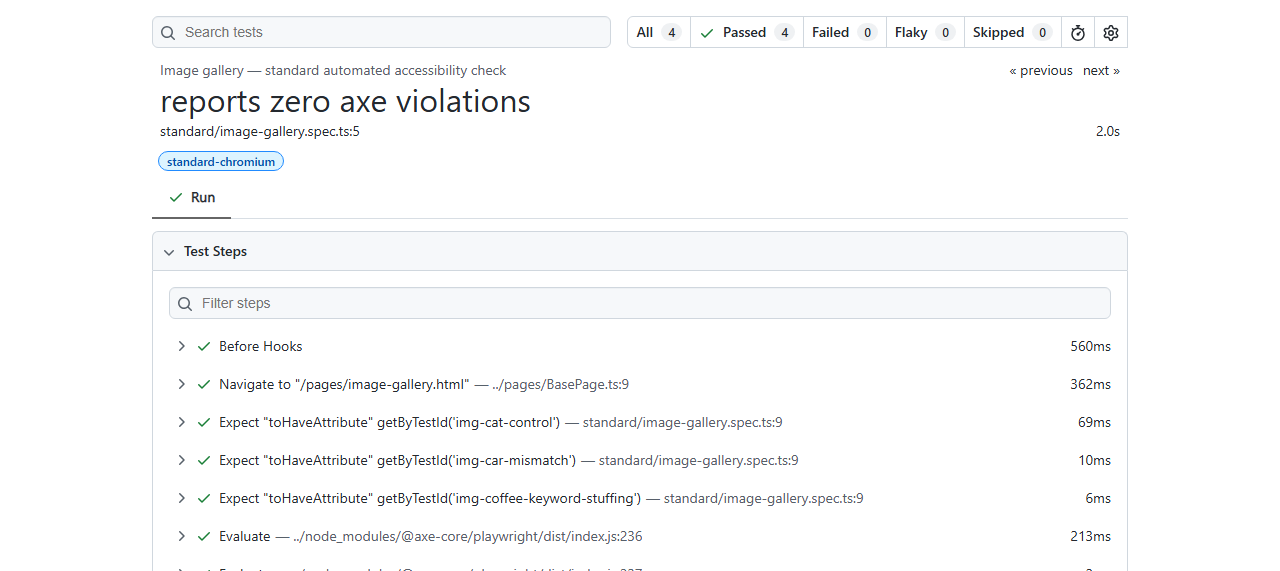
reports zero axe violations - passed. Axe has no opinion on whether “golden retriever puppy” describes a car.
The AI test does something structurally different: it screenshots each <img> element, sends the PNG and the alt text to Claude as a vision request, and asks it to judge them against each other. The prompt construction is the whole test:
// tests/ai/semantic-alt-text.spec.ts
const provider = getAiProvider();
const judgment = await provider.judgeVision({
  imageBuffer,
  mediaType: "image/png",
  caseId,
  prompt:
    `An <img> element on a webpage has this alt text: "${altText}". Look at the attached image and judge ` +
    "whether the alt text accurately and meaningfully describes what is actually shown - not just whether " +
    "it is non-empty. Fail it if the alt text describes something different from the image, or if it is a " +
    "list of keywords rather than a real description.",
});

expect(judgment.pass, judgment.reasoning).toBe(true);
Run live against the real Anthropic API, Claude’s reasoning for the car image:
The alt text describes ‘a fluffy golden retriever puppy playing in the grass on a sunny day,’ but the actual image shows a simple flat-style illustration of a red car (looks like a small car or taxi) with wheels, on a road/ground illustration. There is no dog, grass, or puppy present at all. The alt text is completely mismatched with the visual content, which would severely mislead screen reader users about what the image actually depicts.
And for the coffee cup, a distinct and correctly-identified failure mode - not a mismatch, but keyword stuffing:
The alt text is a keyword-stuffed string […] rather than a meaningful description. While the individual words are loosely related to the image […], this is not how alt text should function […] This kind of keyword-stuffing is a common SEO anti-pattern that technically satisfies ‘non-empty alt attribute’ checks but fails to genuinely convey the image content in a usable way.
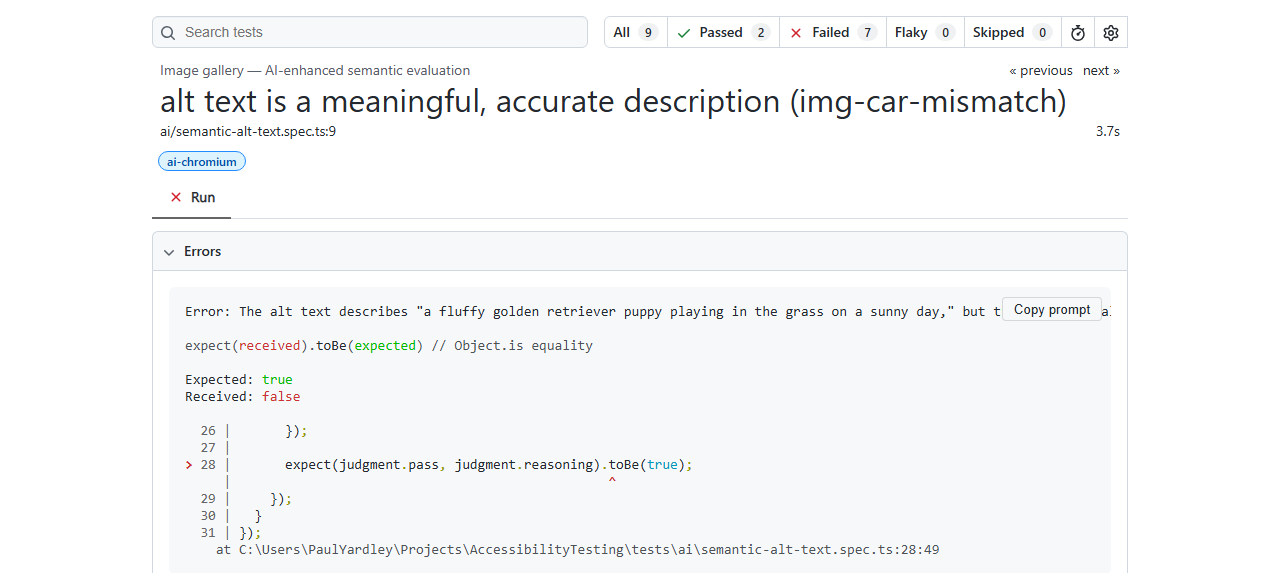 Same page, same markup - the AI suite reads the actual content and fails it twice.
There’s a fourth case in that gallery I haven’t mentioned yet: a cat icon, meant as a control - alt text that’s simply correct, to prove the AI isn’t just failing everything by default. The first time I ran the live suite, it failed that one too. Claude’s reasoning: my alt text said “fluffy orange cat sitting upright,” but cat.svg is a flat, minimalist face icon - no body, no sitting posture, no fur texture, just a round shape with two triangle ears and a couple of whiskers. I’d overclaimed detail my own SVG didn’t have, and hadn’t noticed writing it. I fixed the alt text to "A simple orange cat face icon with pointed ears and whiskers" and reran - it passed. The tool built to demonstrate that AI catches things automation misses had, on its first live run, caught something I’d missed in the demo’s own fixture. I left that fix in; the screenshots above are from the corrected version.
Gap 2: DOM vs. Visual Reading Order
WCAG 1.3.2 (Meaningful Sequence) requires that content make sense in the order it’s read - and axe’s own documentation is explicit that this check requires manual review; there’s no automated rule for it, because “does the visual order match the DOM order” isn’t something a static markup scan can answer. The article page exploits exactly that gap: four semantic landmarks, correct HTML, wrong visual order.
<!-- site/pages/article.html - DOM order: intro, main, aside, footer -->
<div class="article-layout">
  <header data-testid="landmark-intro">...</header>
  <main class="article-body" data-testid="landmark-main">...</main>
  <aside data-testid="landmark-aside">...</aside>
  <footer data-testid="landmark-footer">...</footer>
</div>
/* site/assets/styles.css - visual order: aside, intro, footer, main */
.article-layout header {
order: 2;
}
.article-layout main.article-body {
order: 4;
}
.article-layout aside {
order: 1;
}
.article-layout footer {
order: 3;
}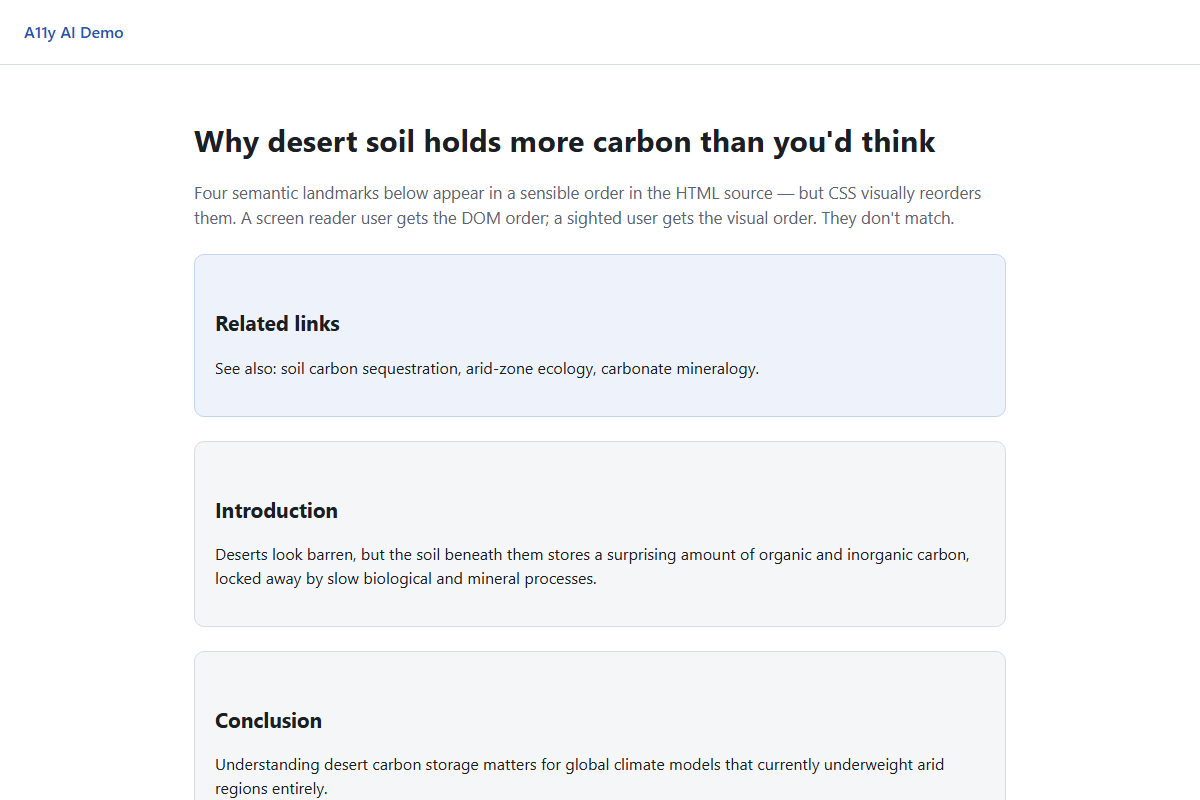 A screen reader hits Introduction first. A sighted user sees “Related links” first.
Axe scans this page and finds nothing - every landmark is valid, every heading is structured correctly, nothing is missing:
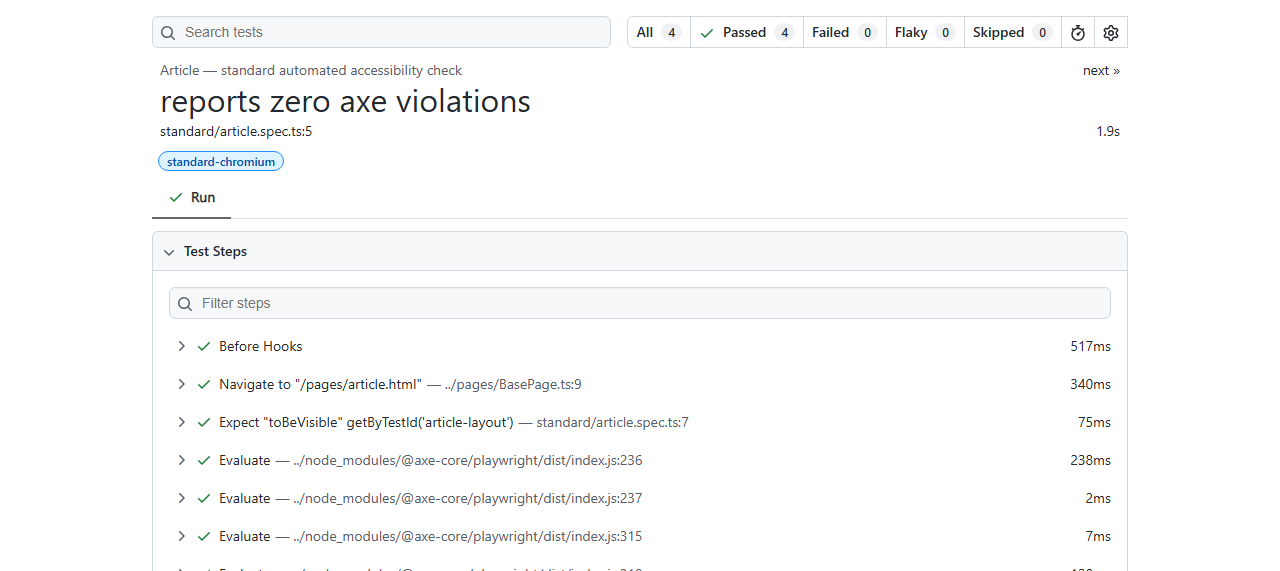 Correct markup, wrong sequence - a WCAG 1.3.2 violation axe was never built to catch.
For this one I deliberately kept the pass/fail assertion out of the model’s hands. Reading order is measurable - getBoundingClientRect() gives the true rendered position, and document.querySelectorAll gives the true DOM order - so there’s no reason to ask an LLM to eyeball a screenshot and guess when geometry already has the answer:
// support/domOrder.ts
export async function getDomOrder(
  page: Page,
  testIds: string[],
): Promise<string[]> {
  return page.evaluate((ids) => {
    return Array.from(document.querySelectorAll<HTMLElement>("[data-testid]"))
      .map((el) => el.getAttribute("data-testid"))
      .filter((id): id is string => id !== null && ids.includes(id));
  }, testIds);
}

// support/visualOrder.ts
export async function getVisualOrder(
  items: OrderedElement[],
): Promise<string[]> {
  const positioned = await Promise.all(
    items.map(async ({ id, locator }) => {
      const box = await locator.boundingBox();
      return { id, top: box.y, left: box.x };
    }),
  );
  return positioned
    .sort((a, b) =>
      Math.abs(a.top - b.top) > 4 ? a.top - b.top : a.left - b.left,
    )
    .map((item) => item.id);
}
The AI only enters once those two orders already disagree, and only to explain the mismatch in the failure message - it never decides pass or fail:
This is a genuine WCAG 1.3.2 (Meaningful Sequence) failure. The DOM order (intro, main, aside, footer) determines the sequence in which screen readers and other assistive technologies announce/navigate content […] This creates a meaningful mismatch: a sighted user reading top-to-bottom sees the aside content first, then intro, then […] This breaks the reasonable expectation that reading/navigation order corresponds to a meaningful, logical sequence.
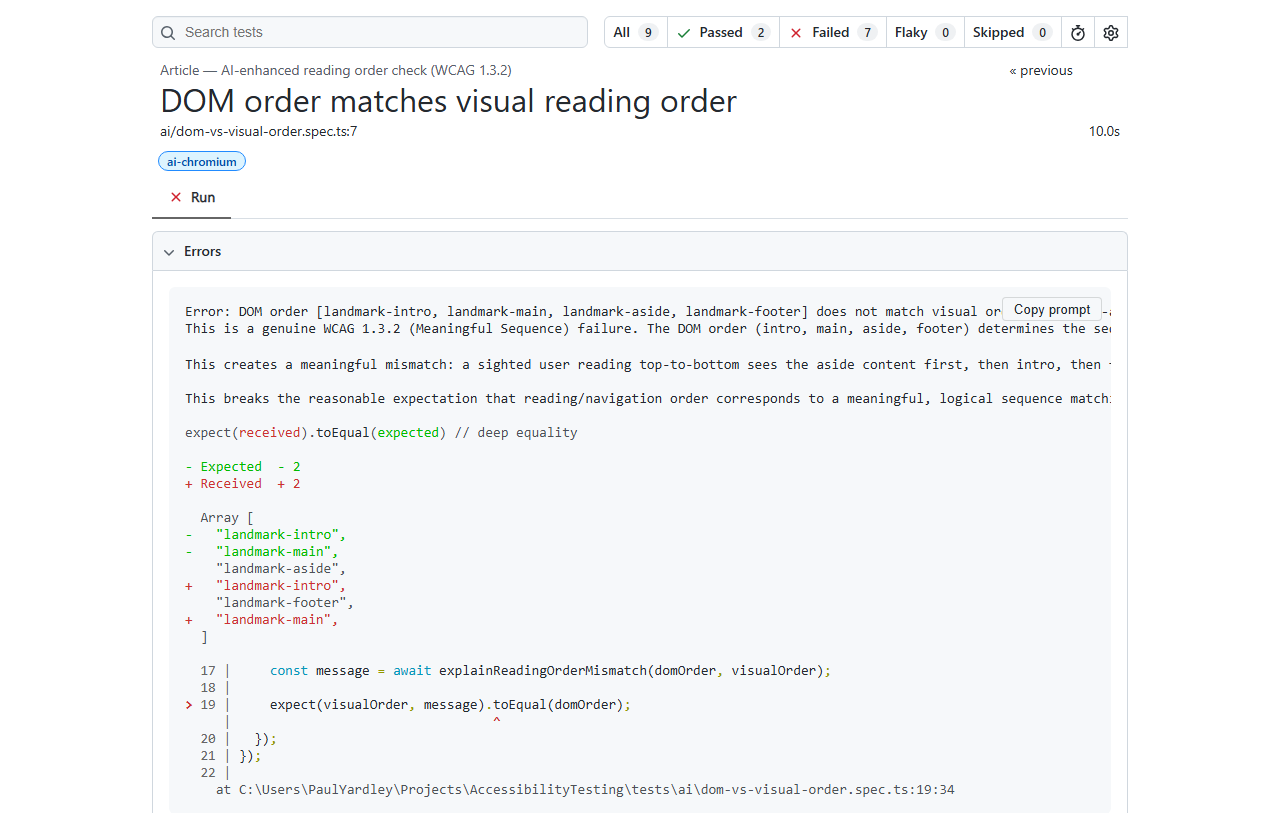 The array diff is the deterministic proof; the paragraph above it is the AI filling in why it matters.
Gap 3: Dynamic State & Focus Tracking
The account menu on dropdown-menu.html has every ARIA attribute a scanner checks for: aria-haspopup, aria-expanded toggling correctly, role="menu"/menuitem, an aria-live="polite" status region. Axe validates the markup both closed and open and finds nothing wrong - because axe doesn’t drive interactions and observe their consequences, it inspects a DOM snapshot. What it can’t see is that opening the menu paints a highlight on the first item without ever moving real focus there:
// site/assets/app.js
function paintFakeFocus(index) {
items.forEach(function (item, i) {
item.classList.toggle("fake-focus", i === index);
});
// BUG: this only paints a visual highlight. It never calls .focus(),
// so document.activeElement stays on the trigger button - a sighted
// mouse/keyboard tester sees a highlighted item and assumes focus moved.
}
function selectItem(index) {
var item = items[index];
if (!item) return;
// BUG: the live region fires (so axe/aria-live wiring looks correct)
// but the announcement text is generic and says nothing about what
// happened, which item was chosen, or what to expect next.
status.textContent = "Updated";
closeMenu();
}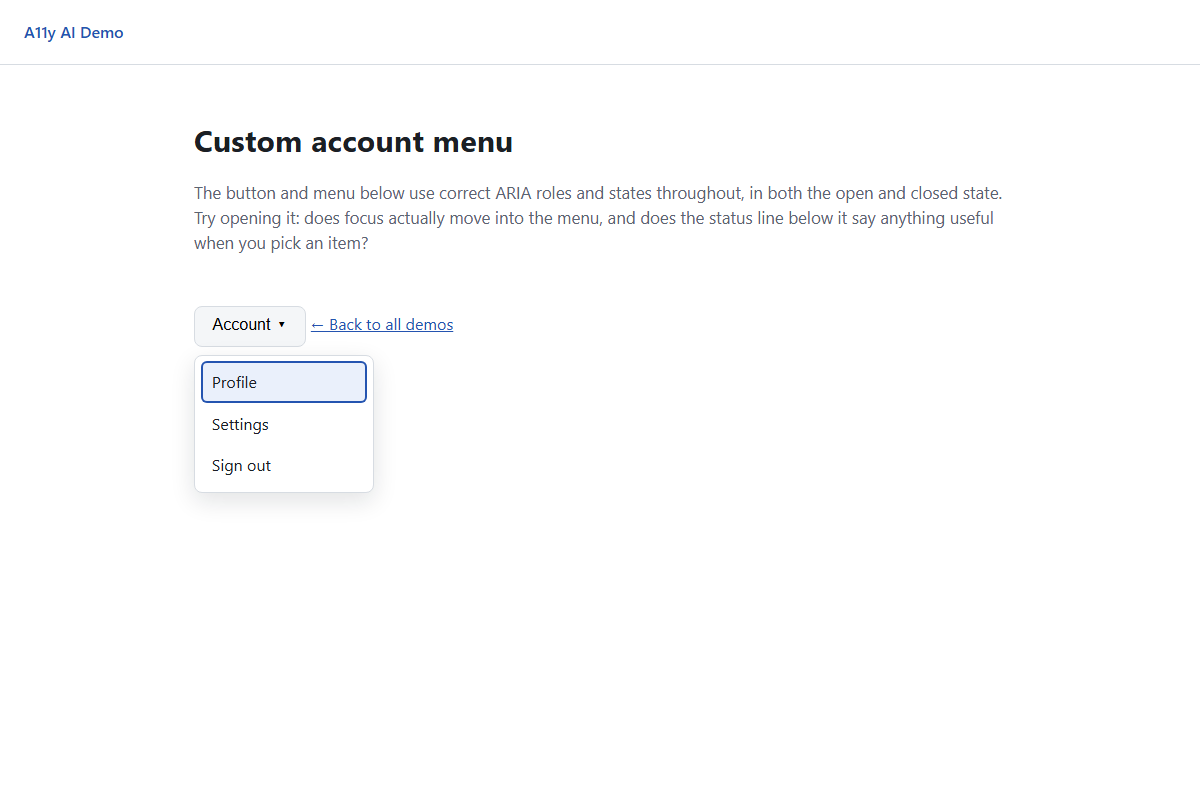 “Profile” looks focused. It isn’t - a screen reader user’s focus never left the trigger button.
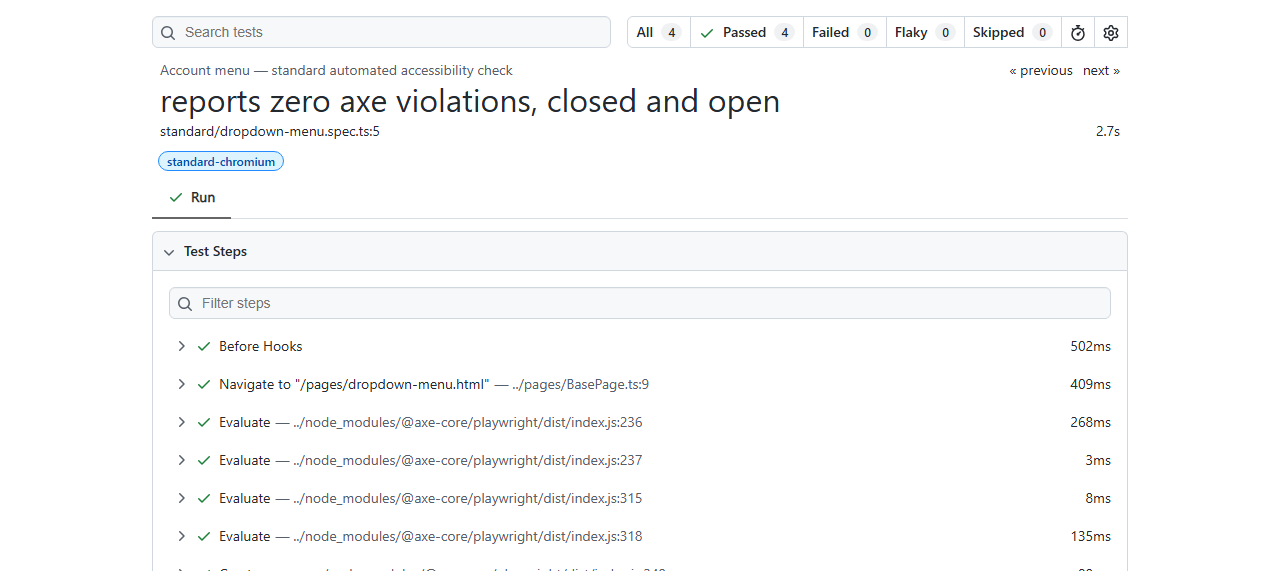 Both states, zero violations - the ARIA is entirely correct. It’s the behaviour that’s wrong.
This gap actually splits into two different kinds of check. Whether focus really moved is a fact, not a judgment call, so it’s a plain DOM comparison - no model involved:
// tests/ai/focus-and-announcements.spec.ts
const highlightedTestId = await page.evaluate(
  () =>
    document.querySelector(".fake-focus")?.getAttribute("data-testid") ?? null,
);
const focusedTestId = await page.evaluate(
  () => document.activeElement?.getAttribute("data-testid") ?? null,
);
expect(
  focusedTestId,
  `The menu visually highlights "${highlightedTestId}" but ` +
    `document.activeElement is "${focusedTestId}"...`,
).toBe(highlightedTestId);
Live, that assertion fails with Expected: "menu-item-profile", Received: "menu-trigger" - exactly the bug, caught deterministically. But whether the live-region announcement is useful is genuinely a judgment call, and that’s where Claude’s read is the actual value:
The live region announcement ‘Updated’ is far too generic to be useful. When a user selects ‘Profile’ from an account menu, they need to know what actually happened as a result of that action […] This is exactly the kind of vague, boilerplate status message that passes automated ARIA validation (it’s a well-formed, non-empty live region update) but fails to convey meaningful information to assistive technology users.
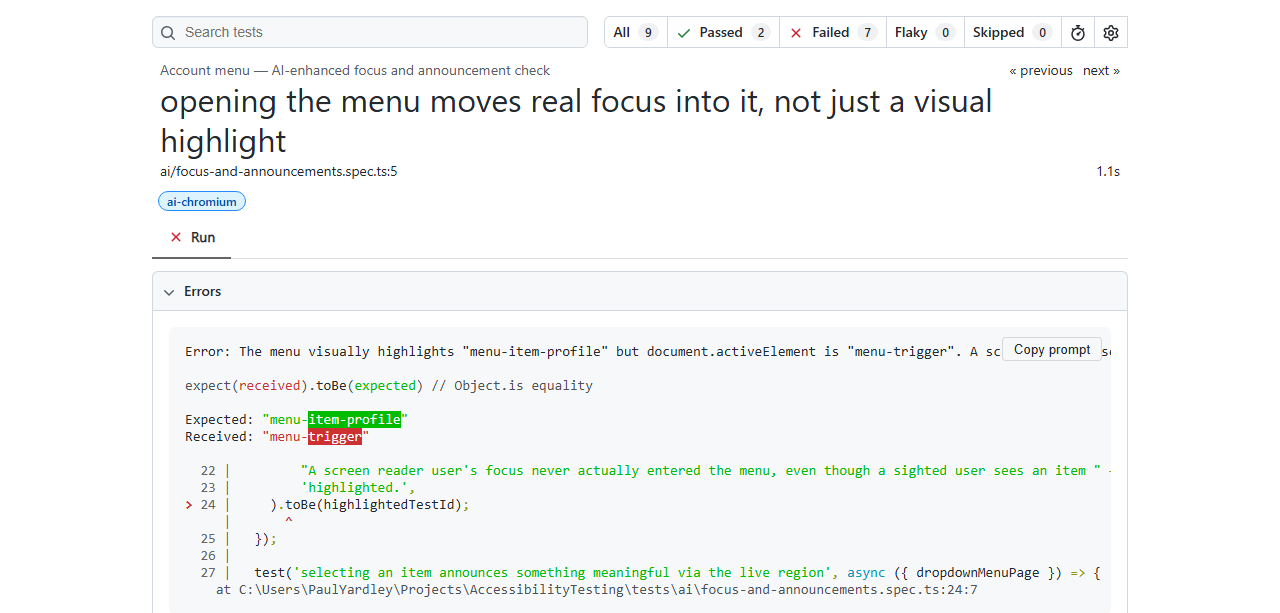 “menu-item-profile” expected, “menu-trigger” received - the fake highlight, caught with no AI involved at all.
Gap 4: Contextual Error Messages
The sign-up form wires up validation the way a checklist would tell you to: aria-describedby linking each input to its error text, aria-invalid toggling, role="alert" on the message so it’s announced. Axe checks every one of those structural requirements and finds nothing missing. What it can’t check is whether the message inside that correctly-wired element says anything useful:
// site/assets/app.js
email: {
validate: function (value) { return /.+@.+\..+/.test(value); },
// BUG: technically true, but tells the user nothing about what a
// valid value looks like or which rule they broke.
message: 'Field is invalid',
},
password: {
validate: function (value) { return value.length >= 8 && /\d/.test(value); },
// BUG: the vaguest possible error message.
message: 'Error',
},
confirmPassword: {
validate: function (value) { return value === fields.password.input.value; },
// Control case: specific and actionable.
message: 'Passwords do not match. Please re-enter your password to confirm.',
},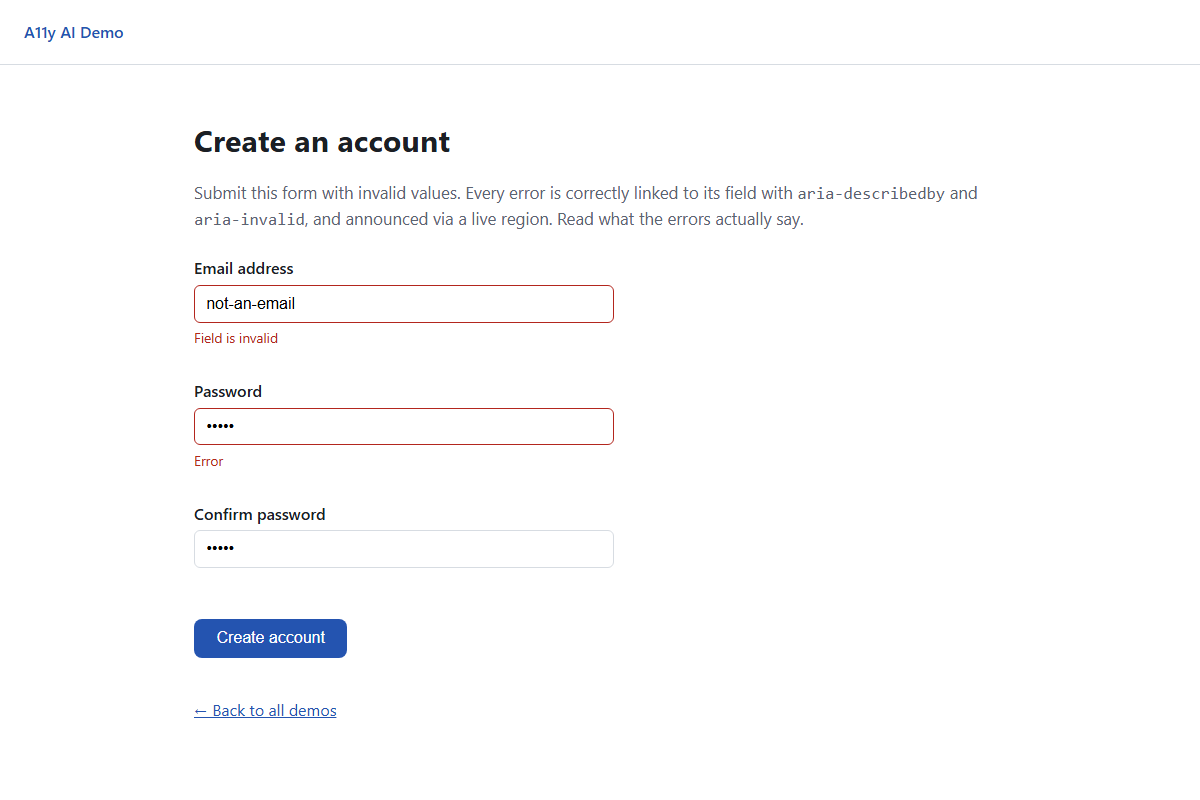 Both fields are correctly marked invalid. Neither error tells you what to do about it.
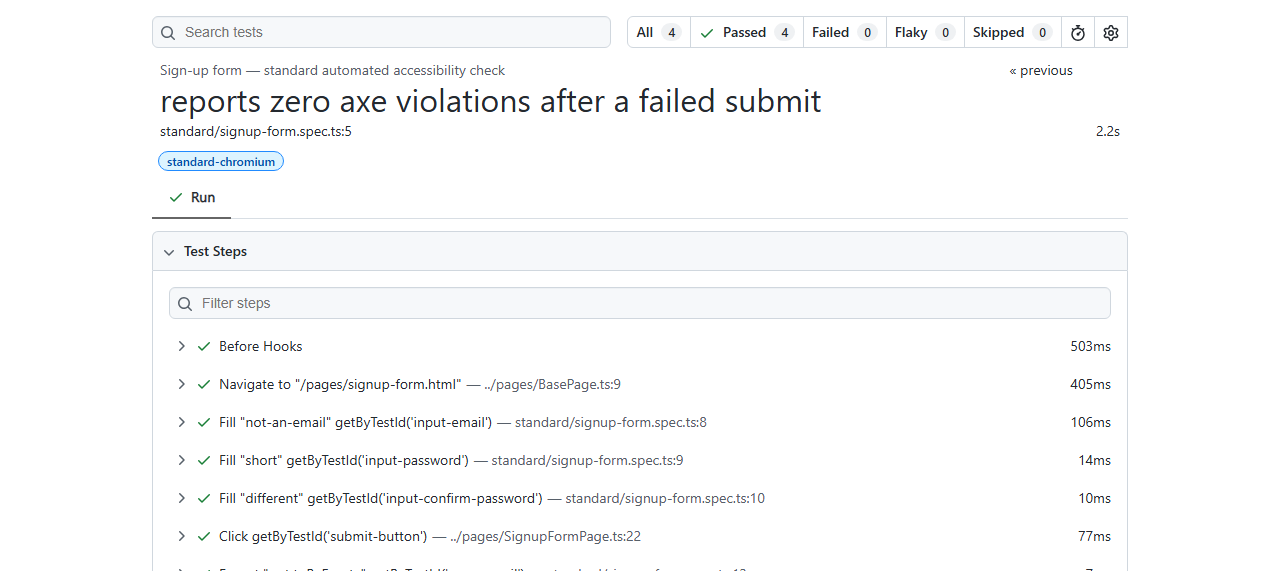 The wiring is exactly right, so axe has nothing to flag - content quality isn’t a rule it can check.
The AI test sends each message, with its field context, straight to Claude and asks whether it’s actually actionable:
// tests/ai/contextual-error-messages.spec.ts
async function judgeErrorMessage(
  fieldDescription: string,
  message: string | null,
  caseId: string,
) {
  const provider = getAiProvider();
  return provider.judgeText({
    caseId,
    prompt:
      `A sign-up form's ${fieldDescription} field failed validation and shows this error message: "${message}". ` +
      "Judge whether this message is specific and actionable - does it tell the user what was wrong and how to " +
      "fix it? Fail it if it is generic or uninformative.",
  });
}
For the password field’s bare "Error":
The error message ‘Error’ is completely generic and uninformative. It does not tell the user what validation rule was violated […] nor does it provide any guidance on how to correct the input. […] A compliant error message should be specific, such as ‘Password must be at least 8 characters and include one number and one special character’ […] this message fails the requirement for clear, actionable error identification (WCAG 3.3.1/3.3.3 guidance).
The email field’s "Field is invalid" gets a more detailed critique - Claude enumerates five distinct problems with it, from not naming the field to giving no correction hint - while the confirm-password field’s genuinely specific message ("Passwords do not match. Please re-enter your password to confirm.") passes cleanly, the same control-case pattern as gap 1.
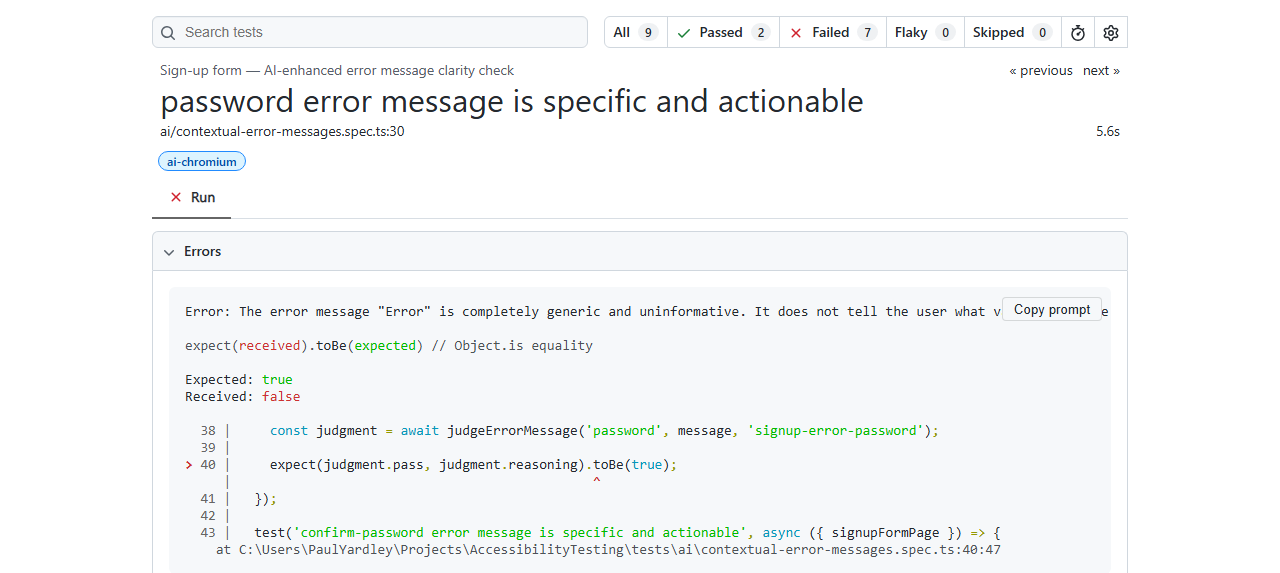 Structurally perfect, substantively empty - the AI is the only layer of this suite that reads the words.
Conclusion
Run back to back, the two suites tell two different stories about the same four pages. npm run test:standard reports 12 passed, 0 axe violations, across three browsers - a green build, the kind that ships. npm run test:ai, against the live Anthropic API, reports 7 failed, 2 passed, and every failure carries a specific, human-readable explanation of what’s actually wrong: a mismatched image, a keyword-stuffed list, a reordered landmark sequence, a fake focus indicator, a vague live-region update, two uninformative error messages. Nothing in that second suite is invisible to a human looking carefully - the whole premise was never that these bugs are undetectable, only that a rule-based scanner structurally cannot detect them, because none of them are markup problems.
The most convincing evidence of that turned out not to be one of the four planned gaps, but the accident with the cat icon. I wrote a “control” alt text I believed was accurate, and Claude - with no idea it was supposed to be the easy case - read the actual SVG and disagreed with me. That’s not a scripted demo beat; it’s the same mechanism the whole post is arguing for, firing on my own content instead of the planted bugs.
Key takeaways:
- A rule-based scanner can only check what’s structurally present, not what’s semantically true. Non-empty alt text, valid ARIA attributes, and a wired-up live region are necessary conditions for accessibility, not sufficient ones - and every gap in this post lives entirely in that remaining space.
- Keep pass/fail deterministic wherever the ground truth is measurable, and reserve the model for genuine judgment calls. The reading-order test’s assertion is a plain array comparison against real bounding boxes; the AI only narrates why a mismatch matters. That’s less flaky and more honest than asking a vision model to eyeball layout order from a screenshot.
- Running your own “known-good” fixtures past an AI reviewer is a real check on the fixture, not just the system under test. The cat-icon alt text was wrong for months of not-actually-existing before I wrote it, and it took one live model call - not a human proofread - to catch it.
- Vision-capable judgment genuinely distinguishes a mismatched description from a keyword-stuffed one, and says which is which - a distinction no current rule-based scanner attempts, because both cases look identical to a scanner checking only for a non-empty string.
- A mock provider earns its keep for CI cost control, but the live model is where the real signal comes from. The mocked and live runs agreed on which tests should fail - but only the live run caught a bug neither of us had scripted for.
The Code
The full source, including the demo site, both Playwright suites, and the provider-agnostic AI layer (Anthropic, OpenAI, and xAI’s Grok, plus a mock mode for CI), is at github.com/pyardley/ai-enhanced-accessibility-testing. Files most relevant to this post:
site/pages/*.htmlandsite/assets/{app.js,styles.css}- the four seeded defectstests/standard/*.spec.ts- the axe-core suite that passes on all four pagestests/ai/*.spec.ts- the AI-enhanced suite that fails on every seeded defectai/provider.ts,ai/anthropicProvider.ts- theAiProviderinterface and the forced-tool-call judgment schemasupport/domOrder.ts,support/visualOrder.ts,support/explainReadingOrderMismatch.ts- the deterministic geometry check behind gap 2README.md- how to run both suites, in mock mode or against a live provider